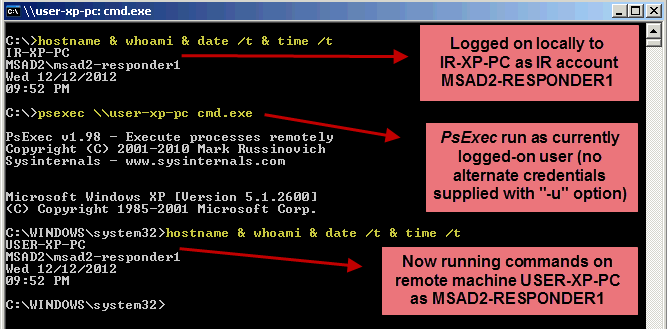
In the dynamic world of IT operations, remote management tools often emerge as lifesavers, rescuing professionals from the brink of critical system issues. One such tool that stands out in the arsenal of solutions is PsExec. Its ability to execute processes remotely across networked systems has made it a go-to for IT administrators worldwide. Among its myriad applications, one particularly noteworthy function is its prowess in remote uninstallation.
Picture this scenario: you’re faced with the daunting task of uninstalling a critical software application across multiple machines, scattered across your network. Manual uninstallation is not only time-consuming but also prone to errors. This is where PsExec swoops in to save the day.
Utilizing PsExec for remote uninstallation is remarkably simple yet incredibly powerful. With just a few commands, you can initiate the uninstallation process on targeted machines without the need for manual intervention. Here’s a glimpse into how it’s done:
1
2
3

PsExec.exe \\UNC-PATH msiexec /x /q "Path_to_MSIFile.msi"
In this succinct command, PsExec leverages the power of msiexec, the Windows Installer command-line utility, to silently uninstall the specified MSI package across remote systems. The “/x” flag denotes uninstallation, while “/q” ensures a quiet, unobtrusive process, perfect for seamless execution in the background.
But before diving into the realm of remote uninstallation, it’s imperative to equip yourself with the necessary tools. Microsoft Sysinternals, a treasure trove of utilities catering to system management and troubleshooting, is where you’ll find PsExec nestled among its offerings.
To embark on your journey of remote uninstallation prowess, ensure you have Microsoft Sysinternals at your disposal. PsExec awaits, ready to streamline your operations and save you invaluable time and effort.
Remember, in the ever-evolving landscape of IT administration, efficiency is key. With PsExec as your ally, remote uninstallation becomes not just a possibility but a seamless reality. Harness its power, and watch as it transforms the way you manage software across your network.
So next time you find yourself grappling with the daunting task of uninstalling software across multiple systems, remember: PsExec is your trusted companion, standing ready to rescue you from the brink and make remote uninstallation a breeze.